
Data destruction methods fall into three outcomes set by NIST SP 800-88, the US federal guideline. Clear overwrites or resets data through the normal controls. Purge uses sanitize commands, cryptographic erase or (for magnetic media only) degaussing, so even a lab cannot recover it. Destroy physically ruins the media. The right choice depends on the media, the data and reuse.
Old devices rarely leave home empty. A laptop can still hold tax returns, a phone keeps its banking apps, and an office drive carries years of client files. Recycling the hardware keeps metals and plastics out of the landfill, but recycling alone does nothing to the data. Someone has to sanitize or destroy the storage first.
This guide explains each method in plain words, where each one fails, and how to pick one for the devices you have. We wrote it as a recycler that uses data destruction methods of both kinds, wiping and physical destruction, so we have no reason to oversell either.
What data destruction means, and what it does not
Deleting a file or formatting a drive removes the index that points to the data. However, the data itself usually stays where it was until something writes over it, and free recovery tools can read it back. A device reset can be much better than that, or no better at all, depending on encryption. We explain how to tell in is a factory reset enough.
NIST calls the whole field media sanitization. NIST published the current version of its guideline, SP 800-88 Rev. 2, on 26 September 2025, and it replaced Rev. 1 from December 2014. So if a vendor or a policy still cites Rev. 1, it cites a withdrawn document.
Data sanitization vs data destruction
Data sanitization is the umbrella term. It means making the data on a piece of media infeasible to recover for a given level of effort. Data destruction is one kind of sanitization that also leaves the media unusable. Wiping sanitizes a drive and lets it go back into service. A shredded drive, however, cannot.
The difference matters as soon as you decide what happens next, because it narrows the data destruction methods you can use. For example, if a laptop is going to a school, a family member or a buyer, you need a method that keeps it working. If the device is at the end of its life, destruction is an option, though not always the strongest one.
Clear, purge and destroy in NIST 800-88
Rev. 2 does not sort methods by brand or machine. Instead, it sorts them by outcome, meaning how hard recovery should be afterwards. The full publication defines three.
| Outcome | Protects against | Typical techniques | Device reusable? |
|---|---|---|---|
| Clear | Simple, non-invasive recovery through the device's normal interface | Overwriting with new data, or a factory reset on devices that cannot rewrite storage | Yes |
| Purge | Recovery with state-of-the-art lab techniques | Built-in sanitize commands, cryptographic erase, degaussing (magnetic media only) | Often, depending on the technique |
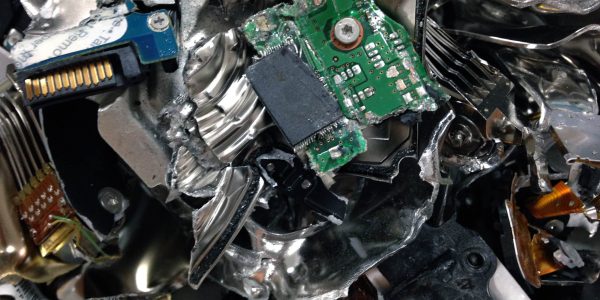
| Destroy | Recovery with state-of-the-art lab techniques | Disintegrating, incinerating, melting, pulverizing, shredding | No |
One line in section 3.1.2 is worth putting in any policy. When possible, use purge instead of clear. In other words, clear is the floor, not the goal, for anything sensitive.
Next, Rev. 2 dropped the old tables that listed a technique for each type of drive. It now points readers to an industry standard, IEEE 2883, and for government use to NSA/CSS Policy Manual 9-12 and the NSA Evaluated Products Lists for equipment. So when someone sells a “NIST-approved technique” for a particular drive model, they are describing something the current document no longer lists.
Paper is the exception to all of this. Rev. 2 says clear and purge are not appropriate for hard copy under any conditions, and destroy is appropriate for all of it. The cautions about shredding further down apply to drives and other storage media, not to paper.
Wiping vs degaussing vs shredding, and other data destruction methods
Most data destruction methods sold today fit one of the groups below. For each one we say what it does, what it works on and where it fails.
Overwriting (wiping)
What it does. Software writes new data over every addressable part of the drive through its normal interface. In NIST terms this is clear.
Works on. Working spinning hard drives. The NIST FAQ on Rev. 2 says a single pass is enough for clear, and you do not need multi-pass schemes. By contrast, the famous seven-pass pattern comes from DoD 5220.22-M, an old defense manual that is no longer the reference.
Fails when. The drive is an SSD or other flash media. These drives keep spare cells the operating system cannot see (over-provisioning), so an overwrite can miss copies of your data. As a result, Rev. 2 says to avoid multi-pass overwriting on these drives. You also cannot overwrite a damaged, dead or read-only drive.
Built-in sanitize commands
What it does. Most modern drives have their own sanitize command built into the firmware. When triggered, the drive erases itself, including the spare areas a normal overwrite cannot reach. Done properly, this is purge.
Works on. SSDs, NVMe drives and many hard drives that support the command.
Fails when. The drive maker implemented it badly. Rev. 2 is open about the trade-off, because you are trusting the manufacturer's code, so good programs check the result rather than taking the tool's word for it.
Cryptographic erase
What it does. If everything on a drive is encrypted, destroying the encryption keys leaves only scrambled data that nobody can read. It takes seconds, which is why phones and modern laptops use it when you reset them.
Works on. Self-encrypting drives, and devices that ran encryption from their first day of use. New Android devices running Android 10 or later must use file-based encryption, and Apple says erasing a supported Mac makes user data cryptographically inaccessible. Our guide on how to wipe a laptop before recycling covers BitLocker, FileVault and the reset buttons that trigger this.
Fails when. Rev. 2 section 3.2 sets conditions, and they matter:
- First, the drive must never have held the data unencrypted. Encryption switched on after years of use does not qualify.
- The encryption must be strong, with a security strength of at least 128 bits.
- Also, you have to destroy every copy of the key, including any backed-up or escrowed copy.
- It is a weaker choice for secrets that must stay secret for decades, because the encrypted data is still physically there.
- Federal agencies must use cryptographic modules validated to FIPS 140.
Does degaussing work on SSDs?
No. Degaussing is a magnetic purge technique for hard drives and magnetic tape. It uses a strong magnetic field to scramble the stored data. However, flash storage, including SSDs, phones, USB sticks and memory cards, stores data electrically, so a degausser does nothing to it.
Rev. 2 adds two more warnings for magnetic media. Many degaussers lack the force to handle modern high-coercivity hard drives. And degaussing can leave a drive unable to spin up while still failing to sanitize the data. For those reasons NIST says degaussing is not, at the time of writing, an approved destroy technique. It is a purge technique, for magnetic media only, with equipment matched to the media.
Does shredding a hard drive destroy the data?
It depends on how small the pieces are and how sensitive the data is. Shredding cuts drives into strips or particles. Even so, a whole platter fragment can still hold a great deal of data, because storage density keeps rising every year.
That is why Rev. 2 section 3.1.3 says to avoid shredding and pulverizing storage media for anything but the lowest security categories of data. According to the NIST FAQ, the IEEE 2883 standard deprecates shredding and pulverizing as approved destruction for modern hard drives and SSDs, and melting or incineration is the route for higher categories.
Shredding is still the most widely used of all data destruction methods, for good reasons. It is fast, you can see the result with your own eyes, and it suits the large volume of everyday drives that hold low-sensitivity data. Still, do not treat it as automatically the strongest option.
Disintegrating, melting and incinerating
A disintegrator grinds media down to very small particles, much smaller than a typical drive shredder. Melting turns the media to liquid at high heat. Incineration burns it in a licensed facility. Together, these are the destroy techniques for the most sensitive data. They are industrial processes that need specialist equipment and permits, so none of them is something to try at home.
Drilling, hammering and bending
Rev. 2 says drilling, bending or cutting may only partly damage media and can leave parts of it readable in a lab. A few holes through a platter will stop a casual buyer, so it is better than nothing for a home drive. Even so, it is not a destruction method you can document.
Be careful with safety. Never hammer or drill a phone, tablet or laptop with the battery inside, because a punctured lithium battery can catch fire. Also, some hard drive platters are glass and shatter into sharp pieces.
Which data destruction methods fit which device
Hard drive destruction methods get most of the attention, but the right answer changes with the media, and so do the data destruction methods that make sense. Use this table as a starting point. The middle column is for devices you want to keep using. The third is for devices at the end of their life.
Drives, computers and phones
| Device | To reuse it (clear or purge) | End of life (destroy) | Watch out for |
|---|---|---|---|
| Spinning hard drive (HDD) | Single-pass overwrite or a sanitize command. Degauss only with equipment matched to the drive. | Destroy if it has failed or holds sensitive data | Weak degaussers. Also, no software can wipe a dead drive. |
| SSD or NVMe drive | Sanitize command or cryptographic erase | Destroy to small particles, or melt or incinerate for high sensitivity | Normal overwrites miss spare cells. Degaussing does nothing. |
| Laptop with soldered storage | The built-in reset, which uses cryptographic erase if encryption was on from the start | Destroy the board if the data is sensitive | Encryption switched on late breaks the cryptographic erase condition. |
| Phone or tablet | An encrypted factory reset | Physical destruction if it will not power on | Memory cards are often unencrypted and a reset does not touch them. |
| USB stick or memory card | Overwriting gives limited assurance on flash | Destroy anything sensitive | Small, easy to lose, rarely on any inventory. |
Office machines, tapes, discs and paper
| Device | To reuse it (clear or purge) | End of life (destroy) | Watch out for |
|---|---|---|---|
| Copier, printer or multifunction device | The machine's built-in disk erase | Remove the drive and destroy it | The FTC warns that copier drives keep images of documents copied, scanned or faxed. |
| Backup tape | Degauss with equipment matched to the tape | Destroy | People often forget old tapes in storage. |
| CD, DVD or Blu-ray | Not practical | Destroy (shred to the size your policy requires) | Discs hold more than people expect. |
| Dead or failed drive of any kind | Not possible | Destroy | Rev. 2 says destruction may be the only option when media fails. |
| Paper | Clear and purge do not apply | Destroy by shredding, pulping or burning | See what paper documents to shred. |
Two rows trip people up most often. The first is the dead drive. If it will not power on, no software can reach it, so it goes straight to destruction. The second is the office copier, which looks like a printer but stores scans on an internal drive that leaves with the machine when a lease ends.
How to choose a data destruction method
Rev. 2 section 4.3 lists the factors an organization should weigh. In practice, they boil down to four questions you can answer for any device.
- Will the device be reused, donated or resold, or is it at the end of its life? Reuse rules out destroy and points you to clear or purge.
- How sensitive is the data, and for how long must it stay secret? Health, legal and financial records need purge or a stronger destroy method. Family photos on a home laptop need less.
- What kind of media is it, and does it still work? This decides which techniques are even possible. Flash needs different handling from magnetic media, and the only option for a failed drive is destruction.
- Will it leave your control? Handing devices to a recycler, a leasing company or a warranty desk is a change of custody. Rev. 2 notes that losing control of unsanitized media can count as a data breach under some laws.
Two worked examples
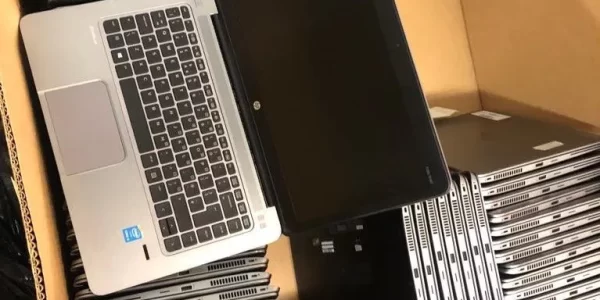
Example one, a household laptop. A five-year-old Windows laptop with an SSD is going to a recycler. Because device encryption was on from setup, a reset with Clean data turned on is a reasonable first step. If you are not sure encryption was on from the start, or the laptop no longer boots, have the drive destroyed instead.
Example two, a small office. A practice has 50 retired drives, some holding patient or client records, and some that no longer spin up. The working drives that will be resold get a sanitize command or cryptographic erase with a record for each one. The failed drives, and any drive with regulated data that you are not reusing, go to destruction, with a certificate listing every serial number. HIPAA's disposal rule, covered below, does not name a method, but it does expect written procedures, and a record per drive is how you show you followed them.
On-site or off-site data destruction
Rev. 2 lists on-site or off-site handling as one of the factors to weigh. On-site and off-site are not data destruction methods in themselves. Instead, they describe where the work happens. On-site destruction happens at your building, so the drives never leave your control and your staff can watch. For that reason, it suits regulated data, large batches and organizations whose policy says drives cannot travel.
Off-site destruction means the drives travel to the recycler's facility. It is usually simpler to arrange and works well for small batches, provided the chain of custody is recorded from pickup to the end. If you want to see it happen without hosting a truck, ask whether witnessed destruction is available at the facility. You can read how witnessed on-site hard drive destruction works in San Diego.
What proof of data destruction to keep
Rev. 2 section 4.5 separates two checks. Verification asks whether the technique completed without errors. Validation asks whether the result is good enough for the data on that device. Whichever data destruction methods you use, a wipe tool reporting “success” is only verification. After that, someone still has to make the validation call.
Rev. 2 also says to complete a certificate of sanitization for each item. At a minimum it should show the device serial number, the method (clear, purge or destroy), the technique used, and who did the work and when. A certificate that says “12 laptops” with no serial numbers proves very little. Then keep these records with your other compliance files.
Do e-waste recyclers wipe or destroy your drives?
It depends on the recycler, and recyclers use different data destruction methods, so ask before you hand anything over. Three questions sort most of them out.
- Which method do you use for which media, and is it clear, purge or destroy in NIST terms?
- Will I get a certificate that lists each serial number, the method and the date?
- Which certifications do you hold, and can I see the current certificate?
R2v3 is an auditable certification for electronics recyclers, so a genuine recycler can produce its certificate on request. Dream's Point Loma and Chula Vista facilities are R2v3 certified, and you can see the details on our certifications page.
At Dream, we wipe and data-destroy every data-containing device by default. In fact, that applies whether or not you ask for proof and whether or not you watch it happen. If you need proof for your records, Certificates of Destruction are available, and witnessed destruction is available too. Ask about both when you book hard drive destruction with a certificate.
Rules that require proper data destruction
Several federal rules tell organizations to make data unreadable before disposal. None of them names one of the data destruction methods as required, which is why the choosing questions above matter.
- HIPAA. 45 CFR 164.310(d)(2) requires covered entities to have policies for the final disposal of electronic health information and the media it sits on, and for removing it before anyone reuses the media.
- FTC Disposal Rule. 16 CFR 682.3 requires businesses that hold consumer report information to take reasonable measures to protect it when they dispose of it. It gives destroying or erasing electronic media as examples, so that nobody can practicably read or reconstruct the information.
In addition, California has its own disposal law for customer records. Check the current text with your adviser if you run a business here.
Where to take devices for data destruction
For a household, the simplest route is to bring the device, or the loose drive, to any of Dream's six San Diego County locations. You do not need to remove or wipe the drive first, since data destruction happens by default. For an office with drives that cannot leave the building, ask about on-site destruction. Either way, decide up front if you need a certificate, so we can issue it for every serial number.
Frequently asked questions
What is the most secure data destruction method?
It depends on the media and how sensitive the data is. For high-sensitivity flash media, the NIST FAQ points to melting or incineration. For most business drives, a properly verified purge, or physical destruction backed by a serial-numbered certificate, is the practical answer. On the other hand, shredding to large pieces is weaker than many vendors suggest.
Is one overwrite pass enough?
Yes, for a working spinning hard drive. NIST's FAQ on SP 800-88 Rev. 2 says a single pass is enough for clear, and you do not need multi-pass schemes. SSDs are different, because spare cells can escape the overwrite. For those, use the drive's sanitize command or cryptographic erase, or have it destroyed.
Can you degauss an SSD?
No. A degausser scrambles magnetic patterns, and an SSD stores data electrically in flash chips, so the field has no effect on it. The same goes for phones, USB sticks and memory cards. Use a sanitize command, cryptographic erase or physical destruction for flash media instead.
Is drilling a hole in a hard drive enough?
It stops a casual buyer, but it is not real destruction. NIST SP 800-88 Rev. 2 says drilling, bending or cutting may only partly damage media and can leave parts readable in a lab. For sensitive data, use a documented destruction service instead. Never drill a device with the battery still inside.
What should I do with a dead hard drive?
Have it destroyed. No software can wipe a drive that will not power on, and a lab may still read the data on its platters or chips. NIST says destruction may be the only option when media has failed. Keep the certificate if the drive held business data.