
How to wipe a laptop before recycling comes down to three steps. Back up your files, sign out of your accounts, then run the reset. On Windows 11, use Reset PC with Remove everything and Clean data on. On an Apple silicon or T2 Mac, use Erase All Content and Settings. If it won't start, have the drive destroyed.
The steps below come from Microsoft, Apple and Google's own support pages. They work the same way to wipe a computer before recycling, so desktop and all-in-one owners can follow along too.
Check this before you wipe a laptop
The best way to wipe a laptop before recycling depends on three quick questions. A reset is very effective on some laptops and weak on others, and these questions tell you which you have. The full reasoning is in why a reset alone is not always enough.
- Does it turn on and start normally? If not, you cannot wipe it. Skip to the section on having the drive destroyed.
- Is the drive encrypted, and has it been since setup? On Windows, open Settings, then Privacy & security, then Device encryption. Windows Home uses device encryption, while Pro, Enterprise and Education also have BitLocker. On a Mac, check whether FileVault is turned on. Encryption from day one is what makes a reset effective on an SSD.
- Spinning hard drive or SSD? The model number on the drive or in your order details will tell you. If you are not sure, treat it as an SSD. The safe steps for an SSD also work on a hard drive, but not the other way round.
One detail about Windows helps here. Microsoft says device encryption turns on automatically when you first set up a PC with a Microsoft account or a work or school account. If you set it up with a local account, it isn't turned on automatically, according to Microsoft's device encryption page.
Back up and sign out first
- Copy the files you want to keep to an external drive or cloud storage. Then open one or two files from the backup to check it worked.
- Find your BitLocker recovery key if the PC is encrypted. Microsoft says to have it ready before you reset an encrypted device.
- Sign out of your browsers, password manager and cloud drives.
- On a Mac, sign out of iCloud and of iMessage in the Messages app.
- If you use a Bluetooth keyboard or mouse that is staying with you, unpair it so it doesn't send input to the old Mac. Apple lists this as an optional step.
Signing out matters as much as erasing. It releases licenses and security locks tied to your accounts, so the next person can set the machine up without needing you.
How to wipe a Windows 11 laptop or PC
This is how to wipe a laptop before recycling on Windows 11, using the steps from Microsoft's Reset your PC page.
- Open Settings and select System, then Recovery.
- Under Recovery options, select Reset PC.
- Choose Remove everything. This reinstalls Windows and removes all your files, apps and settings.
- Choose Cloud download or Local reinstall. Cloud download fetches a fresh copy of Windows. Local reinstall uses the files already on the PC and is faster on a slow connection. Either is fine for recycling.
- Open the settings for the reset and turn on Clean data. Microsoft says to use this option if you plan to donate, recycle or sell the PC. It takes longer, but it makes your removed files harder to recover.
- Follow the on-screen instructions and let it finish. Microsoft warns the screen can stay black for a long time and the PC may restart by itself. Don't restart it manually, or the reset could fail.
Be clear about what Clean data is. Microsoft's own note says the data erasure is “targeted at consumers and does not meet government and industry data erasure standards.” It is a sensible step for a home laptop. It is not the right tool for a drive holding patient records, client files or anything your business must account for.
Still on Windows 10? The same option exists. Go to Start, then Settings, Update & Security, Recovery. Under Reset this PC, select Get started, then Remove everything, and turn on Clean data. Microsoft ended support for Windows 10 on October 14, 2025.
How to wipe a MacBook or other Mac
On a Mac, the way to wipe the laptop before recycling depends on its chip and macOS version.
Macs with Apple silicon or a T2 chip
Apple's Erase All Content and Settings needs macOS Monterey 12 or later and a Mac with Apple silicon or the Apple T2 Security Chip.
- From the Apple menu, choose System Settings.
- Click General, then Transfer or Reset.
- Click Erase All Content and Settings.
- Enter your Mac login password and your Apple Account password when asked.
- Click Erase All Content & Settings to confirm. If a message offers to sign you back in to your Apple Account, ignore it.
- When the Mac restarts to the setup assistant, don't set it up. Press and hold the power button until it turns off.
On macOS Monterey, open System Preferences and choose Erase All Content and Settings from the System Preferences menu in the menu bar. If you see a message that other volumes must be erased first, you may have installed Windows with Boot Camp. Apple says to remove it with Boot Camp before you continue.
Why this works so well is in Apple's deployment guide. Erasing destroys the encryption keys, which makes user data cryptographically inaccessible.
Older Intel Macs
If your Mac doesn't have Erase All Content and Settings, Apple's longer route erases all your data instead.
- On macOS Mojave or earlier, deauthorize the computer in iTunes. Skip this on Catalina 10.15 or later.
- Sign out of iCloud and iMessage.
- Start up from macOS Recovery.
- Use Disk Utility to erase the Mac.
- Reinstall macOS from Recovery. When it restarts to the setup assistant, press Command-Q to shut down.
- Reset NVRAM, then shut down again at the setup screen.
How to wipe a Chromebook
Google calls a Chromebook reset Powerwash. Google says it erases all user data on the Chromebook's drive, including the Downloads folder. It does not delete files in Google Drive or on an external drive, so back those up separately.
- Sign out of the Chromebook.
- Press and hold Ctrl + Alt + Shift + R.
- Select Restart.
- In the box that appears, select Powerwash, then Continue.
Users can't reset school and work Chromebooks. Return them to the administrator, who can wipe and release them.
How to erase a hard drive before recycling, and why SSDs differ
Drive type matters more than most guides admit. Our guide to data destruction methods covers the techniques in depth. This is the short version.
Erasing a spinning hard drive
On a working hard drive, writing over the whole drive once is enough for ordinary use. The NIST FAQ on SP 800-88 Rev. 2 says multi-pass wiping is not needed. Windows Clean data does this kind of overwrite. A quick format does not. It only clears the index, and the files stay on the disk.
How to wipe an SSD
SSDs keep spare cells the computer can't see. NIST Rev. 2 section 3.1.1 explains that a normal overwrite can miss them, so copies of old data can survive. What works on an SSD is the drive's built-in sanitize command or cryptographic erase.
Cryptographic erase is what a reset does when encryption was on from the start. The reset destroys the keys, and the data becomes unreadable. The catch, set out in NIST Rev. 2 section 3.2, is that the drive must never have held sensitive data unencrypted before encryption started. If you switched encryption on years after buying the laptop, encryption may not cover files written before then. For sensitive data on that kind of laptop, destruction is safer.
When to have the drive destroyed instead
If any of these apply, don't wipe the laptop at home before recycling. Have the drive destroyed instead.
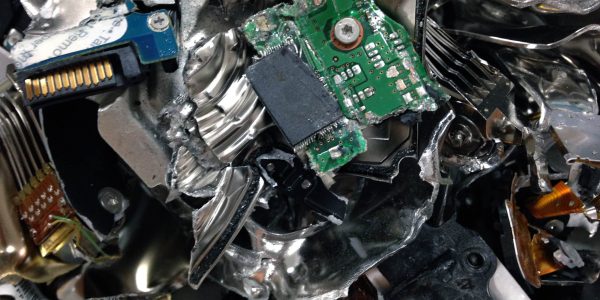
- The laptop will not boot, or the drive has failed.
- It has an SSD that was not encrypted from the start.
- It holds business, client, or patient data.
- You can't tell what kind of drive it has.
- You simply want certainty.
Bring the whole laptop, or the removed drive, to any of Dream's six San Diego County locations. We wipe and data-destroy every data-containing device we receive by default, even if you don't ask for proof. If you need a record for your files, ask for a Certificate of Destruction when you drop off. Witnessed destruction is also available.
Should you remove the hard drive before recycling?
You can, if it comes out easily and you want to keep it or have it destroyed separately. Many thin laptops have storage built onto the main board, so there is nothing to remove. In that case the whole laptop goes for wiping or destruction.
Removing a drive only helps if you keep track of it. A loose drive in a kitchen drawer is easier to lose than a laptop. If you open the case, never bend or puncture the battery. Damaged lithium-ion batteries can catch fire.
Next step
Once it is wiped, or if you would rather we handle the data, you can recycle your laptop for free in San Diego at any of our locations. Desktops, towers, and all-in-ones go the same way through computer recycling drop-off.
Frequently asked questions
Is Reset this PC enough before recycling?
For a home laptop that was encrypted from setup, Reset this PC with Remove everything and Clean data on is a reasonable step. Microsoft recommends that option when you recycle a PC. Its own note says the erasure is for consumers and does not meet government and industry standards, so business drives need proper sanitization or destruction.
How do I wipe a laptop that won't turn on?
You can't wipe it with software, because the reset tools need the laptop to start. Have the drive destroyed instead. Bring the whole laptop to a recycler that handles data destruction, or remove the drive if it comes out easily. A dead drive can still hold readable data, so don't put it in the trash.
Do I need my BitLocker recovery key to reset?
Microsoft says to have it ready before you reset an encrypted PC, and you need it if you reset from the Windows Recovery Environment. If you set up the PC with a Microsoft account, the key is stored in that account. Find it before you start, not halfway through the reset.
Will the recycler wipe my laptop for me?
At Dream, yes. We wipe and data-destroy every data-containing device we receive by default, whether or not you ask for proof or watch. Other recyclers vary, so ask which method they use and whether they give a certificate. Still, it's good practice to wipe the laptop yourself before recycling, and it signs you out of your accounts.
What about my phone?
Phones work differently. Modern iPhones and newer Android phones encrypt their storage, so a full factory reset after you sign out of your accounts is usually enough. Remove the SIM and any microSD card first, because a reset does not touch them. Our factory reset guide has a device-by-device table.