


Is a factory reset enough? Sometimes. On a modern iPhone or Android phone, or a laptop encrypted from its first day, a reset destroys the encryption key and leaves the data unreadable. On an unencrypted hard drive, a reset removes the file index but leaves the files, and free recovery software can find them.
SSDs add a twist, because a plain overwrite can miss the spare storage cells they keep hidden. The table below shows which case your device falls into, and the rest of the page explains why.
Why a factory reset doesn't equal data destruction
Getting rid of an old phone, laptop or hard drive feels simple. You sign out, reset the device, and the screen comes back looking brand new. But an empty screen doesn't necessarily mean the data has gone.
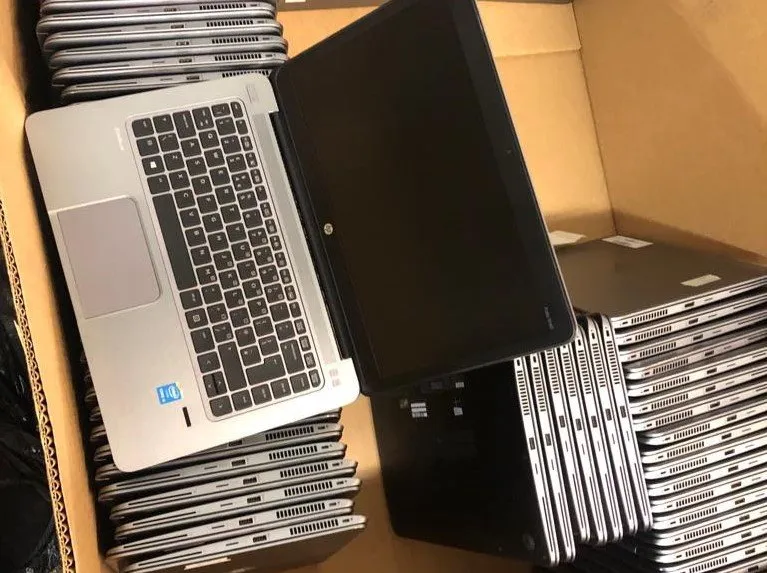
Makers design a factory reset to remove your access to the device and prepare it for its next user. That isn't the same as making the stored information unrecoverable. Depending on the device and how you set it up, some of it may still be sitting on the drive.
Drive encryption is far more common than it was a few years ago, and that has changed the answer for phones and newer laptops. What hasn't changed is the habit. Plenty of people still believe a reset or a format is always enough, and for a lot of the equipment leaving homes and offices today, it isn't.
Is a factory reset enough for your device?
Find your device in the left column. The answers come from the makers' own documentation. For step-by-step instructions on computers, see how to wipe a laptop before recycling.
Phones, tablets and Macs
| Device | Is a reset enough? | What to check or do |
|---|---|---|
| iPhone or iPad | Yes, with the right steps | Sign out of your Apple Account, then use Erase All Content and Settings. Erase your eSIM when asked, and take out any physical SIM. |
| Newer Android phone or tablet | Usually yes | New devices launched with Android 10 or later must use file-based encryption. Remove your Google Account first, or the phone locks out the next user. Take out the SD card. |
| Older or budget Android | Not sure | Android 5 to 9 supported full-disk encryption, but not every phone had it on. Check encryption in Settings. If you cannot confirm it, treat the phone as unencrypted. |
| Mac with Apple silicon or T2 chip (macOS 12 or later) | Yes | Erase All Content and Settings destroys the keys, and Apple says this makes user data cryptographically inaccessible. |
| Older Intel Mac without a T2 chip | Not on its own | Use Apple's Disk Utility route in macOS Recovery instead of a simple reset. |
Windows PCs, Chromebooks and other devices
| Device | Is a reset enough? | What to check or do |
|---|---|---|
| Windows PC encrypted from setup | Reasonable for home use | Reset this PC with Remove everything and Clean data turned on. Microsoft says this is for consumers and does not meet government and industry erasure standards. |
| Windows PC without encryption, especially with a spinning hard drive | No | A plain reset can leave files readable. Use Clean data at the very least, or have the drive destroyed. |
| Chromebook | Yes, for personal ones | Powerwash erases user data on the device. Users cannot reset school and work Chromebooks, so return them to the administrator. |
| Loose drives, USB sticks, SD cards | Not applicable | Resetting a computer or phone does nothing to them. Wipe or destroy them separately. |
| Copier, printer, router, smart TV | Often not | The reset may not touch stored files or credentials. See the section on forgotten equipment below. |
What a factory reset actually does
A reset almost always removes your access to the data. Whether it removes the data itself depends on the storage inside.
On a traditional hard drive
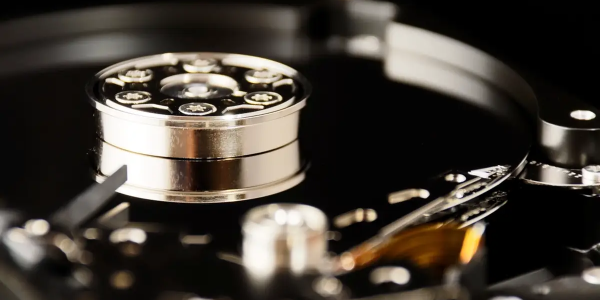
A spinning hard drive stores files in physical sectors and keeps a separate index, the file table, that maps filenames to those sectors. Deleting a file, or running a standard reset, edits the index. It marks the sectors as free for reuse. It does not touch the magnetic patterns in the sectors themselves.
Until something else writes over that space, the original data is physically intact. Recovery software, however, ignores the index and reads the sectors directly. On a lightly used drive, files deleted months ago come back whole, with filenames, folders and timestamps.
On an SSD or flash storage
Many people assume solid-state drives are safer. They aren't, and the reasons are structural.
SSDs cannot overwrite a block in place. They write to a fresh block and mark the old one invalid, leaving the original contents until the controller gets around to erasing it. Every SSD also ships with over-provisioned capacity, reserve blocks the operating system cannot see or address. Wear leveling spreads writes across that whole pool, so fragments of your data end up where no file-level tool can reach.
The result is that overwriting an SSD from the operating system, even repeatedly, cannot guarantee it touches everything. You need the drive's own sanitize command, cryptographic erase on a drive that used encryption from the start, or physical destruction.
On a phone or tablet
Modern iPhones and Android phones are the good-news story. They encrypt storage, and a factory reset destroys the encryption key rather than the data. Without the key, whatever remains on the chip is unreadable in any practical sense.
So is a factory reset enough on a phone? Usually, and that protection holds on two conditions. First, the device must actually use encryption, and the reset must complete properly. On Android, Android 5 to 9 supported full-disk encryption, and new devices launched with Android 10 or later must use file-based encryption, so the older and cheaper the phone, the more you should check. Removable microSD cards are a separate matter. They are often unencrypted, and a phone reset does nothing to them.
What NIST says about factory resets
NIST SP 800-88 Rev. 2, published in September 2025, is the current US federal guideline on media sanitization. It defines three outcomes. Clear protects against simple recovery through the device's normal interface. Purge protects against recovery even in a lab. Destroy does the same and leaves the media unusable. Our guide to data destruction methods explains each one in full.
Resets have a specific place in that framework. Section 3.1.1 of the publication says that for devices that only offer a return to factory state, such as a basic cell phone or a piece of office equipment, a manufacturer reset may be the only clear option. It still counts as clear, as long as the device's normal interface cannot retrieve the original data. In other words, clear protects against an ordinary person with recovery software, not against a lab.
Rev. 2 also says that when possible, you should use purge instead of clear. So is a factory reset enough by NIST standards? It can count as clear, but it is the floor, not the target, for anything sensitive. And on overwriting, the NIST FAQ is clear that one pass is enough and you do not need multi-pass wiping.
The IT equipment everyone forgets
Most guidance stops at laptops and phones. In practice, leaks often come from equipment nobody thinks of as a computer.
Printers, copiers and multifunction devices
Many office copiers and multifunction printers have an internal hard drive. The FTC warns that these drives can keep images of documents the machine has copied, scanned or faxed. When a lease ends and the machine goes back, the drive often goes with it, untouched. So ask the provider to wipe or remove the drive before the machine leaves.
Servers, networking gear and management controllers
Switches and routers store configurations, VPN credentials and certificates. Servers carry out-of-band management controllers with their own credentials and logs. A rack that someone “decommissioned” by unplugging it is a rack full of live credentials, which is why proper data center decommissioning treats every component as data-bearing until a check shows otherwise.
The loose drives in the drawer
Every IT cupboard has them. Pulled drives kept just in case, backup disks from an old migration, a shoebox of USB sticks. Because they sit outside the asset register, they also sit outside every disposal process. They are also the easiest thing in the building to walk out with.
Can data be recovered after a factory reset?
Yes, on some devices, and how easily depends on who is trying. “Recoverable” means very different things at each level.
Free recovery software. Free tools are a search away and install like any other app. Point one at a reset, unencrypted hard drive and it will often surface deleted files with their original names and folders. This is the level that matters most, because it needs nothing but curiosity. Anyone who buys your old laptop could try it on the same day.
Paid recovery labs. Professional services rebuild data from partly overwritten media, damaged platters and corrupted file systems. It costs money, so it implies a motive, such as a competitor, a litigant or someone who knows what was on the device.
Forensic labs. Removing flash chips and reading them directly, bypassing the controller. This is specialist work for law enforcement and high-end forensic firms. It matters for serious litigation, not for an average office refresh.
However, on a phone or laptop that had proper encryption before the reset, all three levels run into the same wall. Without the key, there is nothing readable to recover.
When to choose destruction over a reset
Is a factory reset enough for every device? No. A reset is fine for an encrypted phone going to a relative. It is the wrong tool in a few clear situations.
- The drive has failed, or the device will not power on, so nothing can wipe it at all.
- The drive holds sensitive or regulated data, such as patient, client or financial records.
- Nobody will reuse the device, so there is no reason to keep the drive working.
- You cannot confirm the device used encryption from the start.
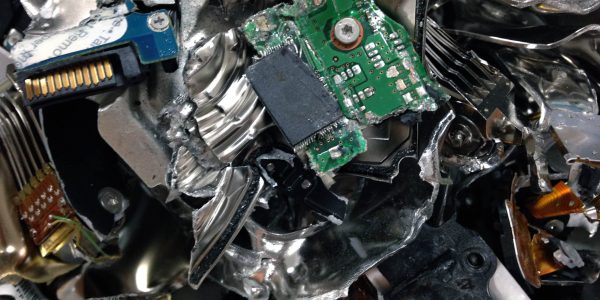
In those cases, send the drive to hard drive destruction instead. The destruction method should also match the data. NIST cautions that shredding storage media suits only the lowest security categories of data, so for highly sensitive drives, ask the provider what method they use and how small the output is.
Keep proof that it happened
A reset leaves no record. If your business hands drives to a vendor, ask for a certificate that lists each serial number, the method and the date. NIST Rev. 2 says to complete a certificate of sanitization for each item. Check the vendor's certifications too. R2v3 is an auditable claim, so a genuine recycler can produce its certificate on request.
So why does everyone still just reset?
A factory reset is free and needs no vendor, scheduling or budget approval. Certified data destruction needs someone to own the process. For a business replacing 40 laptops in a busy quarter, a reset is the path of least resistance.
However, the economics change when you count the downside. The real cost isn't the recycling bill. It is breach notification, regulatory exposure, and the difficulty of proving what happened to data after the equipment left your hands. Against those risks, destroying a drive properly is one of the cheapest data security steps there is.
There is inertia, too. Equipment nobody has decided how to handle doesn't disappear. It piles up in a storeroom, losing value while the risk grows.
Before you reset, a quick checklist
Whether or not a factory reset is enough for your device, work through these steps in order on a personal phone or computer.
- Confirm encryption is on before you reset. FileVault on a Mac, BitLocker or device encryption on Windows. Modern phones encrypt by default.
- Back up what you want to keep, and open the backup to check it worked.
- Sign out of every account, including cloud storage, email, streaming, your password manager, your two-factor app and Find My.
- Remove SIM and microSD cards. Resets do not touch them.
- Run the factory reset.
- If the device is old, unencrypted or you are not sure, take the drive out or have it destroyed. You can drop off laptops, computers, drives and phones and other electronics at any of Dream's six San Diego County locations.
The laptop guide linked above has the exact menus for Windows, Mac and Chromebook.
Destroy it properly, and get it in writing
Dream Electronic Recycling is an R2v3-certified recycler in San Diego County. We wipe and data-destroy every data-containing device we receive by default, whether or not you ask for proof or watch it happen. If you need proof, Certificates of Destruction are available, and we also offer witnessed destruction.
Bring devices to any of our six locations, or schedule a free pickup for five or more computing devices. Questions about a large or unusual batch can go through our contact page.
Frequently asked questions
Does a factory reset delete everything?
Not always. On an unencrypted hard drive it removes the index, not the files, so recovery tools can find them. On an unencrypted SSD it cannot reliably reach hidden spare cells. For a modern encrypted phone, or a laptop encrypted from setup, it is effectively enough, because it destroys the encryption key and leaves the data unreadable.
Is a factory reset enough before selling a laptop?
Only if the drive used encryption from the start and you use the full option, such as Remove everything with Clean data on Windows or Erase All Content and Settings on a supported Mac. If you cannot confirm encryption, remove the drive or have it destroyed. If the laptop isn't worth selling, you can recycle it for free in San Diego.
Can data be recovered after a factory reset?
It depends on the device. From a reset, unencrypted hard drive, free software can often recover files. From an unencrypted SSD, partial recovery is possible because of hidden spare cells. With an encrypted iPhone, newer Android phone or encrypted laptop, recovery is not practical, because the reset destroyed the key that decrypts the data.
Does a factory reset erase my SD card?
No. Resetting a phone or tablet erases its internal storage, not a removable microSD card. Those cards are often unencrypted and any card reader can read them. Take the card out before you hand the device over, then keep it, wipe it on a computer or have it destroyed.
How many overwrite passes do I need?
One. The NIST FAQ on SP 800-88 Rev. 2 says a single pass is enough for clear on a working hard drive, and you do not need multi-pass schemes. On SSDs, extra passes add wear without reaching hidden cells, so use a sanitize command or cryptographic erase instead.

One Comment
Comments are closed.